|
|
|
|
Greetings,
Ah, I missed sending out a newsletter last month. That was probably because I was in Norway!
Read on.
|
|
Lofoten Tours report
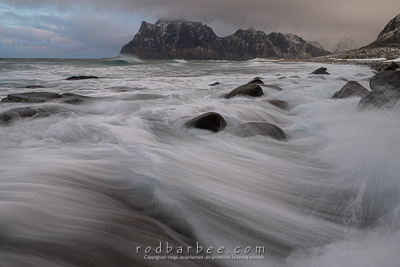
Last month I made my first trip to the Lofoten Islands in Norway for a pair of sold out photo tours. What a gorgeous place: towering mountains, rugged seashores, windswept beaches, frozen lakes, quaint villages, moody light, and more.
Lofoten is the farthest north I’ve ever been, being above the Arctic Circle. That was cool enough by itself. But the scenery, the weather (as blustery and wet as it was at times), the light, and the people really made this a special trip.
Our guide, Christian Hoiberg, who lives in Lofoten, was the best. He knows the locations, he’s a great photographer, and he has a wonderful sense of humor.
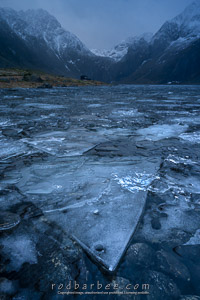 Weather-wise, it was, ironically, colder and snowier back home than it was in Norway. But we did have some cold weather, often below freezing. But that’s what you need for winter landscape photography. We just needed to dress appropriately, which meant plenty of soft and warm Merino Wool. Weather-wise, it was, ironically, colder and snowier back home than it was in Norway. But we did have some cold weather, often below freezing. But that’s what you need for winter landscape photography. We just needed to dress appropriately, which meant plenty of soft and warm Merino Wool.
And everybody seemed to do fine. Gloves with hand-warmer pockets were helpful. I mainly wore a pair of liner gloves by The Heat Company with a hand warmer in the hand warmer pocket. My fingers did get a bit cold while operating the camera, but they warmed up quickly when I put my hands in a pocket.
Our days consisted of early morning locations (mind you, sunrise was around 9 a.m.), lunch at local cafes (there were many cinnamon rolls and chocolate chip cookies involved), and afternoon and sunset shoots. Followed by either dinner or aurora hunting.
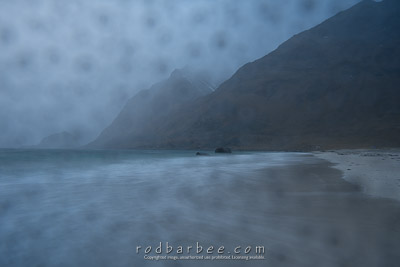 Over the two weeks that I was there, the weather gave us a range of, shall we say, opportunities? From gorgeous blue skies with puffy clouds, to strong wind gusts, to windy downpours of rain, to a magical sunrise snowfall on our very last day. Over the two weeks that I was there, the weather gave us a range of, shall we say, opportunities? From gorgeous blue skies with puffy clouds, to strong wind gusts, to windy downpours of rain, to a magical sunrise snowfall on our very last day.
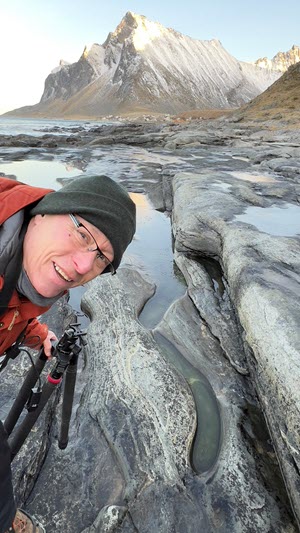 I really want to go back to Lofoten in the winter. If you have any interest in joining a photo tour, let me know by responding to this email. If I get enough early interest in a 2026 trip, I’ll start putting the wheels in motion. I really want to go back to Lofoten in the winter. If you have any interest in joining a photo tour, let me know by responding to this email. If I get enough early interest in a 2026 trip, I’ll start putting the wheels in motion.
To read more and to see a slideshow of images, jump on over to the trip report on my blog.
(Stunning portrait courtesy of Keith Beckmann)
|
|
Save/transfer your Photoshop workspaces
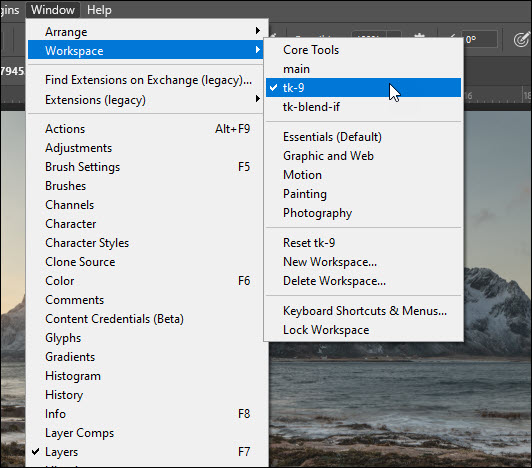
You may or may not know that you can organize the pallets in Photoshop in just about any way you wish. And that you can save these as Workspaces. (In the Photoshop menu, go to Window > Workspace>) This can come in handy if you have plugins that create their own pallets (like the various luminosity mask plugins) and you want to organize them so that they fit your own workflow.
After the recent Photoshop upgrade to version 2025, I found that the new version of Photoshop did not have my usual workspace in the list of workspaces. I use Tony Kuyper’s TK9 panels and I’ve organized them so as to maximize screen space and while still giving me access to the tools I may need. (Note: I use the word use loosely here. I’m learning more and more about how to use the plugin.)
I didn’t want to have to re-create my workspace and I knew there just had to be a way of copying my workspaces from PS 2024 to PS 2025. And there is! I tell you all about over at my blog. Click here to read about it.
|
|
Sean Bagshaw’s Luminosity Mask: Exposure Blending video tutorials
Back in the day (oh hell, I’m sounding like an old codger)… Back in the day, those slide film days that is, why we used to use those fancy graduated neutral density filters to photograph scenes that had a range of light beyond what the film could record.
They often worked just fine. But there were plenty of times that the dark part of the filter covered trees in the foreground because the trees stuck up in the bright sky. And there was really nothing we could do about that. You just accepted that the tops of the trees looked unnaturally dark.
But now we have cameras that can record a far greater range of light than slide film ever could. And the software takes advantage of that, making it much easier to darken the sky without also having to darken those trees poking up into it. But we still run across situations where the range of light in a scene is beyond what even the best digital cameras can record.
In that situation, we can take two (or more) shots at different exposures and blend them in Photoshop. But we still run into the problem of poking trees, or the bright sky being visible through branches, or other complex situations. This is where luminosity mask exposure blending comes in.
I know, that sounds really complicated. But it really isn’t. Especially the way Sean Bagshaw teaches it. Sean recently released the third course in his series on using luminosity masks with the TK9 plugin, the first two being Basic and Advanced. The whole series is worth getting if you want to learn about luminosity masks, and this third installment on blending exposures may be the most useful. And it’s only $25. All you need is Photoshop and the TK9 plugin ($33).
I’ve been blending exposures for years by simply using regular layer masks in Photoshop. But unless I was working on a scene that had a simple transition between a bright sky and a dark foreground, the results weren’t great, especially those scenes with pokey trees. Sean’s techniques solve that problem.
If you’re so inclined, you can get Sean’s course(s) and the TK9 plugin for Photoshop at Sean’s site.
Note: I have no affiliation with Tony Kuyper or Sean Bagshaw (I met Sean once. Super nice guy). I’ve just gotten a lot out of the plugins and Sean’s videos and highly recommend them.
|
|
Spaces available in both Olympic and Palouse workshops
I still have space available in both my Olympic National Park and Palouse workshops.
Visit my Workshops site for more information on each.
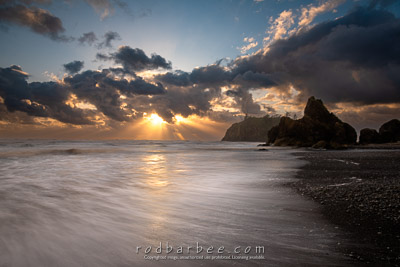
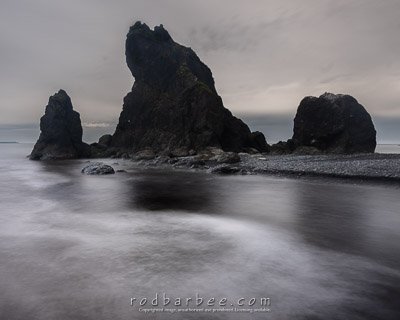
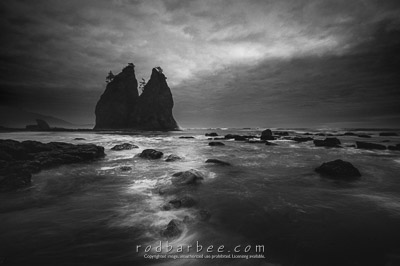
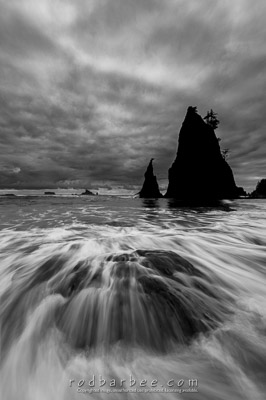 After my recent trip to the Lofoten Islands, where we did a considerable amount of beach/wave/surf photography, I'm eager to get back to the Olympic beaches for some more long exposure seascapes. When I say long exposure, I'm thinking around 1/4 to 1 second to smooth out the incoming and outgoing surf, and 10 seconds or so to get a mist-on-the-water look. I'll be using neutral density filters to control the shutter speed for the effect I'll be after. After my recent trip to the Lofoten Islands, where we did a considerable amount of beach/wave/surf photography, I'm eager to get back to the Olympic beaches for some more long exposure seascapes. When I say long exposure, I'm thinking around 1/4 to 1 second to smooth out the incoming and outgoing surf, and 10 seconds or so to get a mist-on-the-water look. I'll be using neutral density filters to control the shutter speed for the effect I'll be after.
It's a challenging and fun type of landscape photography. Challenging because the surf is always trying to move your tripod (there's a work-around for that) and there's always the possibility of getting wet. Or getting your camera dumped in the water. There are work-arounds for those too. Want to learn how? You should join me.
Here are some examples of what's possible:
|
|
Yellowknife auroras 2026
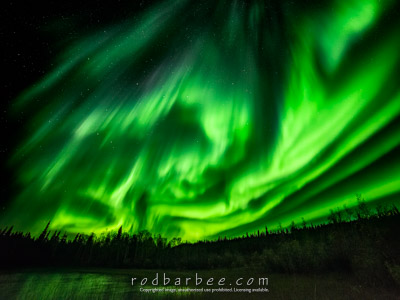
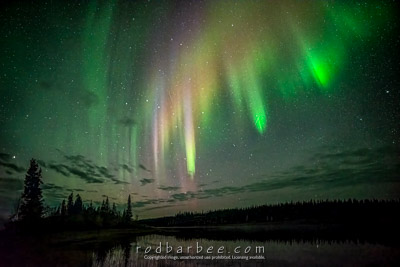
This year’s aurora tours to Yellowknife in Canada's Northwest Territories are already sold out and have waiting lists. But I’m already starting to plan for 2026.
The time frame for next year's trip will be in the Sept. 7 to Sept. 21 range.
The tour(s) will be limited to six participants, and I’ve already started an interest list.
If you have any interest in photographing auroras, let me know if you want to be put on the early notify list. I’ll be offering spaces in the same order the requests come in, so if you’re one of those who have already expressly told me you’re interested, you’re already on the list and you’ll get the first chance at signing up.
And for some more information on what to expect during the tour, you can take a look at the page for this year’s tours.
|
|
Springing ahead
That’s all for now. My next trip is Sitka at the end of this month for those hungry Humpback whales! Hoping for more exciting bubble-net feeding images along with some bald eagles in flight images.
|
|
|
|
|
|
|
|
|